
Comparisons
Best Warranty Tracker Apps in 2025: AI-Assisted vs Manual
An honest comparison of warranty tracker apps — AI-assisted scanning versus manual, free trackers. How the two approaches differ, who each suits, and where Slipcrate fits (including its limits).
On this page
Choosing a warranty tracker comes down to one real question: how much manual work are you willing to do to make sure you never miss a claim? This guide compares the two broad approaches on the market — manual, often-free trackers and AI-assisted trackers that scan your receipts — so you can pick the one that fits how you actually shop.
How we compare
This is a category comparison, not a scored leaderboard. We deliberately avoid inventing ratings, download counts, or competitor prices we can't verify. Instead we compare the two approaches on the factors that matter when something breaks: how data gets in, how reliable the reminders are, where your data lives, and what it costs.
Publisher disclosure: Slipcrate is one of the products in the AI-assisted category described below, and this article is published by the Slipcrate team. We've tried to keep the comparison fair and to be explicit about Slipcrate's own limitations. Treat specific claims about other apps as general characteristics of the category, not verified facts about a named product — verify current details on each vendor's own site. Last reviewed October 2026.
What makes a good warranty tracker
Whatever approach you choose, the fundamentals are the same:
- Easy data entry — whether you type it or scan it, adding a warranty shouldn't be a chore.
- Reliable reminders — a tracker is only useful if it tells you before coverage lapses.
- Durable storage — your proof of purchase needs to outlive the receipt paper.
- Access anywhere — you should be able to check coverage from your phone or a laptop.
- Your data, exportable — you should be able to take your records with you.
The two approaches
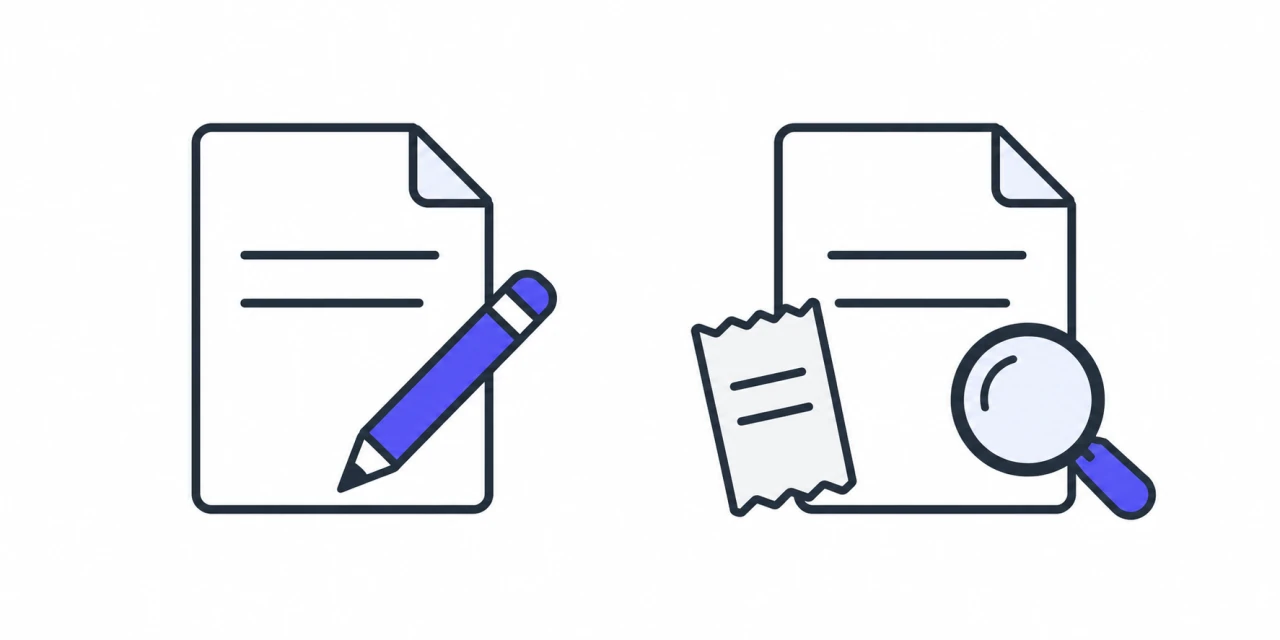
- Manual: enter details
- Assisted: scan, then review
Manual / free trackers
Simple warranty apps and spreadsheets let you record what you own by hand.
- Free or very cheap
- Full manual control over every field
- Fine for a handful of items
- …but every warranty is typed in by hand, which is where most people quietly give up
- Reminder systems are usually basic, and there's no receipt scanning
These work well if you have only a few items to track and don't mind the upkeep.
AI-assisted trackers (including Slipcrate)
Newer trackers use AI to read a photo of your receipt and pre-fill the warranty details.
- Scan a receipt instead of typing it
- The app extracts brand, product, purchase date, and warranty length for you to review
- Status (active / expiring / expired) is tracked automatically
- Reminders can be delivered through a calendar you already use
- Usually a paid subscription
These suit people with more than a handful of warranties who'd rather snap a photo than fill in a form.
Side by side
| Factor | Manual / free | AI-assisted |
|---|---|---|
| Cost | Often free | Usually a subscription |
| Adding an item | Type every field | Scan a receipt, then review |
| Accuracy | Depends on your typing | AI extraction, confirmed by you |
| Reminders | Basic, if any | Via calendar or notifications |
| Best for | A few items, hands-on | Many items, low-effort upkeep |
Where Slipcrate fits — and where it doesn't
Slipcrate sits firmly in the AI-assisted category: you scan a receipt, review the details the AI pulled out, and save. Statuses update themselves, the receipt stays attached, and expiry dates can sync to your Google Calendar with reminders 30, 15, 7, and 1 day before.
To keep this honest, here's what Slipcrate doesn't do today:
- No dedicated mobile apps yet. Slipcrate runs in any modern browser on phone and desktop, but there are no App Store or Play Store apps at the moment.
- No offline mode. You need a connection to use it.
- Reminders come from Google Calendar, not Slipcrate email. If you don't connect a calendar, you won't get push/email reminders from us.
- OCR isn't magic. The AI gets most receipts right, but faded or unusual receipts may need a quick correction — which is exactly why every scan is yours to review before saving.
- It's a paid subscription. There's no free tier and no free trial today, though you can cancel anytime.
See the Slipcrate warranty tracker for the full feature list, or pricing for current costs.
Which should you choose?
- A few warranties, hands-on, zero budget? A manual or free tracker is perfectly fine.
- Lots of receipts and you'd rather not type? An AI-assisted tracker will save you real time and catch expiries you'd otherwise miss.
- Tech-comfortable and want it to mostly run itself? AI-assisted, with calendar reminders switched on.
Bottom line
Both approaches have a place. Free trackers reward diligence; AI-assisted trackers reward people who'd rather automate the boring parts. The best tracker is the one you'll actually keep using — because a warranty is only worth anything if you can find the proof when something breaks.
If the AI-assisted approach sounds right, see how Slipcrate works. New to the idea? Start with getting started with Slipcrate.
Keep reading
How to Keep Receipts From Fading: 7 Ways to Preserve Them
Thermal receipts fade because the print is made with heat, not ink. Here are seven ways to slow the fading, plus the one fix that makes a receipt last for good.
Oct 11, 2026 · 5 min readReceipts & retailersIRS Receipt Requirements 2025: A Plain-English Guide
What receipts the IRS expects you to keep in 2025, how long to keep them, and why digital copies are fine — plus how to build a simple record-keeping habit. General guidance, not tax advice.
Sep 2, 2025 · 3 min readWarranty guides5 Essential Warranty Management Tips
Five practical warranty management tips to help you keep proof of purchase, understand your coverage, and never miss a claim — with or without an app.
Aug 4, 2025 · 2 min read