
Receipts & retailers
How to Keep Receipts From Fading: 7 Ways to Preserve Them
Thermal receipts fade because the print is made with heat, not ink. Here are seven ways to slow the fading, plus the one fix that makes a receipt last for good.
On this page
- Why thermal receipts fade (there's no ink)
- What makes receipts fade faster
- 7 ways to keep receipts from fading
- 1. Store them cool, dark, and dry
- 2. Lay them flat and avoid friction
- 3. Keep them away from soft plastic and solvents
- 4. Don't laminate a thermal receipt
- 5. Photograph or scan it the same day
- 6. Keep the digital copy where you'll actually find it
- 7. Hold onto the paper until your return window closes
- Why a digital copy matters for warranties
- Quick preservation checklist
- FAQs
Thermal receipts fade because the print is made with heat, not ink. Heat, sunlight, moisture, friction, and contact with some plastics all break down the image over time. Good storage slows it down. The only way to keep a receipt readable for good is to make a digital copy. Here are seven ways to do both.
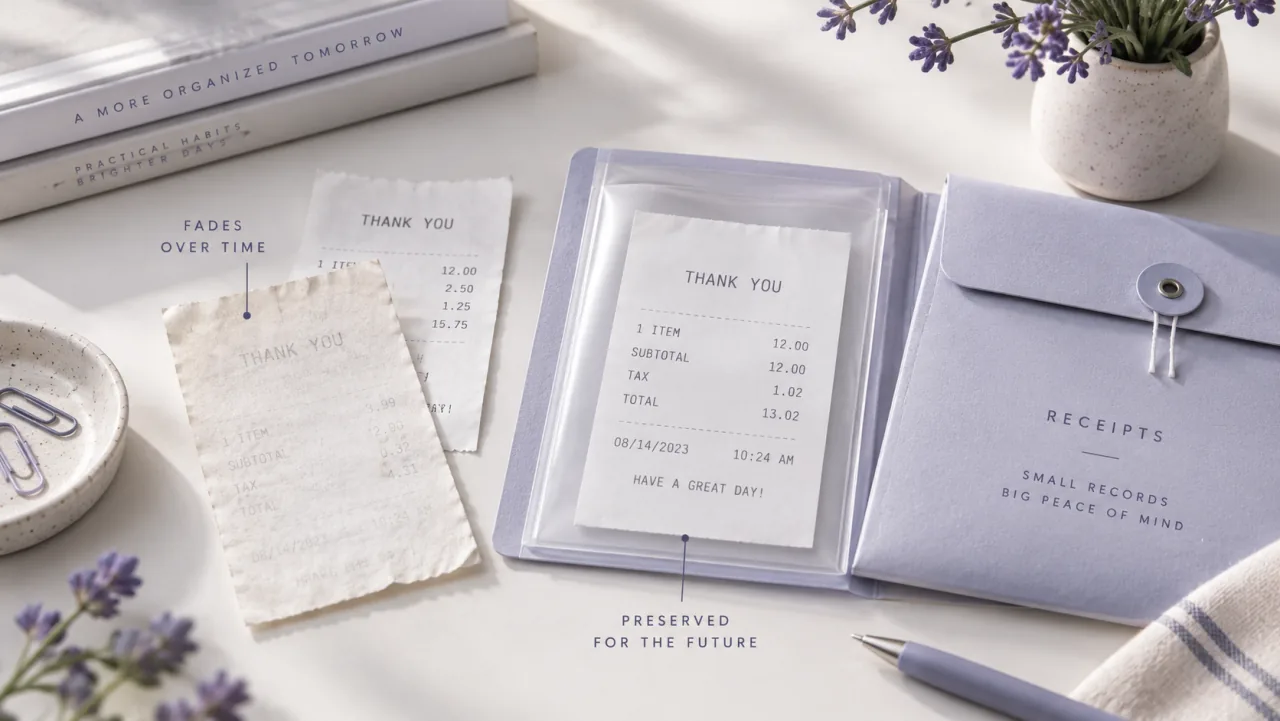
Why thermal receipts fade (there's no ink)
Most store and ATM receipts are printed on thermal paper. Instead of ink, the paper is coated with a colorless dye and an acidic developer. The print head heats tiny dots, the two chemicals react, and the paper darkens wherever it was heated. That's the whole image.
Because the image is made by heat and a chemical reaction, anything that reheats the paper or attacks the coating can change it. The whole sheet can darken, or the text can lift away. That's why a receipt can look sharp in your wallet one month and turn into a blank gray slip a few months later.
What makes receipts fade faster
| Culprit | What it does |
|---|---|
| Sunlight / UV | Breaks down the dye; direct light can fade a receipt in weeks |
| Heat | A hot car, radiator, or dryer keeps the reaction going and dulls or darkens the print |
| Moisture & humidity | Makes the coating swell, smudge, or wash out |
| Friction / rubbing | The pressure and heat of rubbing leaves gray marks and wears off text |
| Plastics & chemicals | Soft PVC wallets, some plastic sleeves, adhesive tape, alcohol, and oils can dissolve the coating |
How long a thermal receipt stays readable depends on the paper and how it's stored. Some last a few months, others a couple of years. Treat any receipt you might need for a warranty or return as if it's on a clock.
7 ways to keep receipts from fading
1. Store them cool, dark, and dry
Heat, light, and humidity speed up fading the most. A drawer, folder, or box indoors, away from windows and heat vents, treats a receipt far better than a sunny windowsill or a hot glovebox.
2. Lay them flat and avoid friction
Don't crumple receipts into a pocket where they rub together. Flatten them in an envelope or folder so the printed side isn't constantly scraping against other surfaces.
3. Keep them away from soft plastic and solvents
The plasticizers in soft PVC wallets and some plastic sleeves can slowly lift the print. Solvents like alcohol-based hand sanitizer or cleaning spray can erase it on contact. If you file receipts in sleeves, use ones made for documents, and keep hand sanitizer away from the printed side.
4. Don't laminate a thermal receipt
It sounds like a good idea, but most laminators use heat, and heat is what darkens thermal paper in the first place. Running a receipt through a hot laminator can turn the whole slip black in seconds. If you want a paper archive, photocopy the receipt onto plain paper, which doesn't fade, or scan it. Save lamination for documents printed with real ink.
5. Photograph or scan it the same day
A receipt is at its sharpest the day you get it. Snap a clear photo or scan it right away, while every line is still legible. Wait a few weeks and you may be capturing a receipt that has already started to fade.
6. Keep the digital copy where you'll actually find it
A photo buried in your camera roll is only a little better than a lost receipt. Keep the copy somewhere organized, ideally attached to the product it belongs to, along with the purchase date and warranty length. Then it's there the day something breaks. A receipt organizer app does exactly this.
7. Hold onto the paper until your return window closes
Some returns and price-match programs still ask for the original receipt. Keep the paper until those windows close. After that, a clear digital copy is enough for most manufacturer warranty claims.
Why a digital copy matters for warranties
For a warranty claim, the receipt does one job: it proves when you bought the product and that you own it. The Federal Trade Commission's advice is to save your product receipt with the warranty, because the receipt establishes your purchase date and that you're the original owner.
A faded receipt can't prove either. A scan captured early still can, years later. And if the receipt is already gone, you may still have options, which the guide on what counts as proof of purchase walks through.
Scan important receipts before they fade. Slipcrate reads the brand, product, purchase date, and warranty length from a photo, keeps the original attached to the product, and can remind you before coverage ends.
Quick preservation checklist
- Scan or photograph the receipt the day you get it
- Store the paper flat, somewhere cool, dark, and dry
- Keep it away from sunlight, heat, soft plastic, and hand sanitizer
- Never run a thermal receipt through a hot laminator
- Keep the digital copy attached to the product, with the purchase date and warranty length
- Keep the paper until any return or price-match window closes
FAQs
Can a faded thermal receipt be restored? Sometimes, a little. Gentle warmth, like a hair dryer on low held well back, can briefly darken a faded receipt enough to read or photograph. It's unreliable and can black out the paper, so it's far safer to scan receipts before they fade.
How can I tell if a receipt is thermal paper? Scratch the printed side gently with a fingernail. Thermal paper usually makes a faint dark mark from the friction; regular ink-printed paper doesn't.
Do I still need the paper after I scan it? Keep it until your return and price-match windows close. After that, a clear digital copy is generally enough for a manufacturer warranty claim, and it's the copy that won't fade.
Pick one place for your receipts and make scanning a habit. If you want that place to track warranties and remind you before they expire, see how the Slipcrate warranty tracker works.
Keep reading
IRS Receipt Requirements 2025: A Plain-English Guide
What receipts the IRS expects you to keep in 2025, how long to keep them, and why digital copies are fine — plus how to build a simple record-keeping habit. General guidance, not tax advice.
Sep 2, 2025 · 3 min readReceipts & retailersDo I Need to Keep Costco Receipts for Warranty? (2025 Guide)
Costco can look up many purchases through your membership — but for manufacturer warranties, extended coverage, and price adjustments, keeping the receipt still matters. Here's when you need it and how to keep it.
Jun 9, 2025 · 3 min readReceipts & retailersHow to Track Best Buy Receipts Digitally (2025 Guide)
A practical guide to tracking Best Buy receipts digitally for warranties, returns, and price matching — the built-in options, their limits, and a simple system that actually sticks.
Apr 18, 2025 · 3 min read